Copilot

Copilot Prompt Örnekleri: İyi Prompt Nasıl Yazılır? (Türkçe, 2026)

Hedef, Bağlam, Kaynak ve Beklenti çerçevesiyle Copilot'tan daha iyi sonuç alın. Word, Excel, PowerPoint, Outlook ve Teams için kopyalanabilir Türkçe prompt örnekleri, Prompt Gallery ve Prompt Coach.

4 Kas 2026 Murat Osma 2 görüntüleme
Copilot Prompt Örnekleri: İyi Prompt Nasıl Yazılır? (Türkçe, 2026)

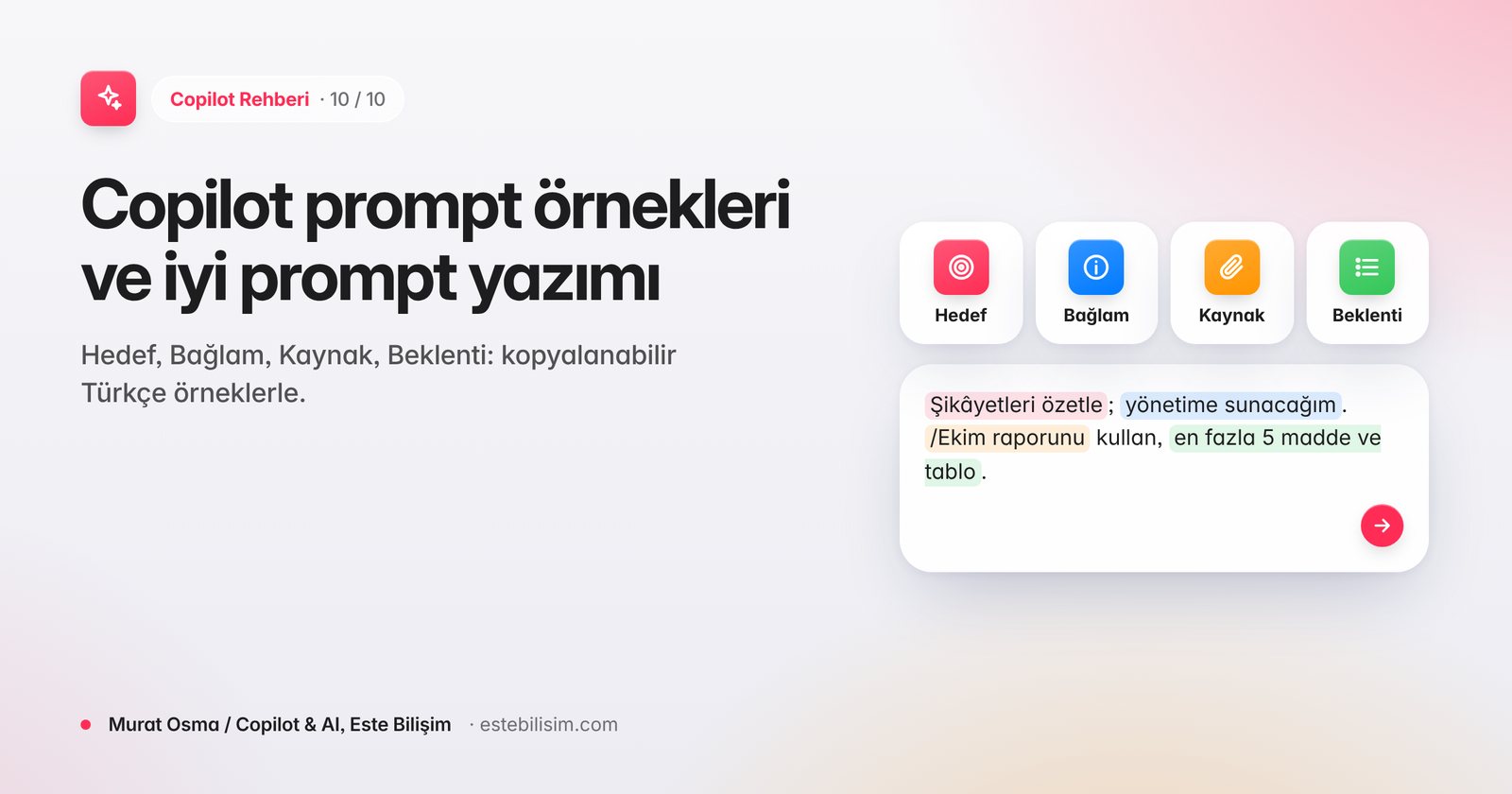
İyi bir Copilot prompt'u dört şeyi söyler: ne istediğinizi (hedef), neden ve kim için istediğinizi (bağlam), hangi bilgiye dayanacağını (kaynak) ve sonucun nasıl görüneceğini (beklenti). Bu dört parçayı içeren istemler, tek cümlelik genel isteklere göre çok daha az düzeltme gerektirir.

Hedef, Bağlam, Kaynak, Beklenti

ParçaSoruÖrnek
HedefNe istiyorum?"Müşteri şikâyetlerini özetle"
BağlamNeden, kim için?"Yarınki kalite toplantısında yönetime sunacağım"
KaynakHangi veriye dayansın?"/Ekim şikâyet raporu dosyası ve destek ekibinin e-postaları"
BeklentiNasıl bir çıktı?"En fazla 5 madde, her madde için örnek sayısı, sonunda öneri tablosu"

Zayıf istem: "Şikâyetleri özetle."

Güçlü istem: "Yarınki kalite toplantısında yönetime sunmak için /Ekim şikâyet raporu dosyasındaki müşteri şikâyetlerini özetle. En sık 5 konuyu örnek sayısıyla listele, sonunda her konu için bir iyileştirme önerisi içeren tablo ekle."
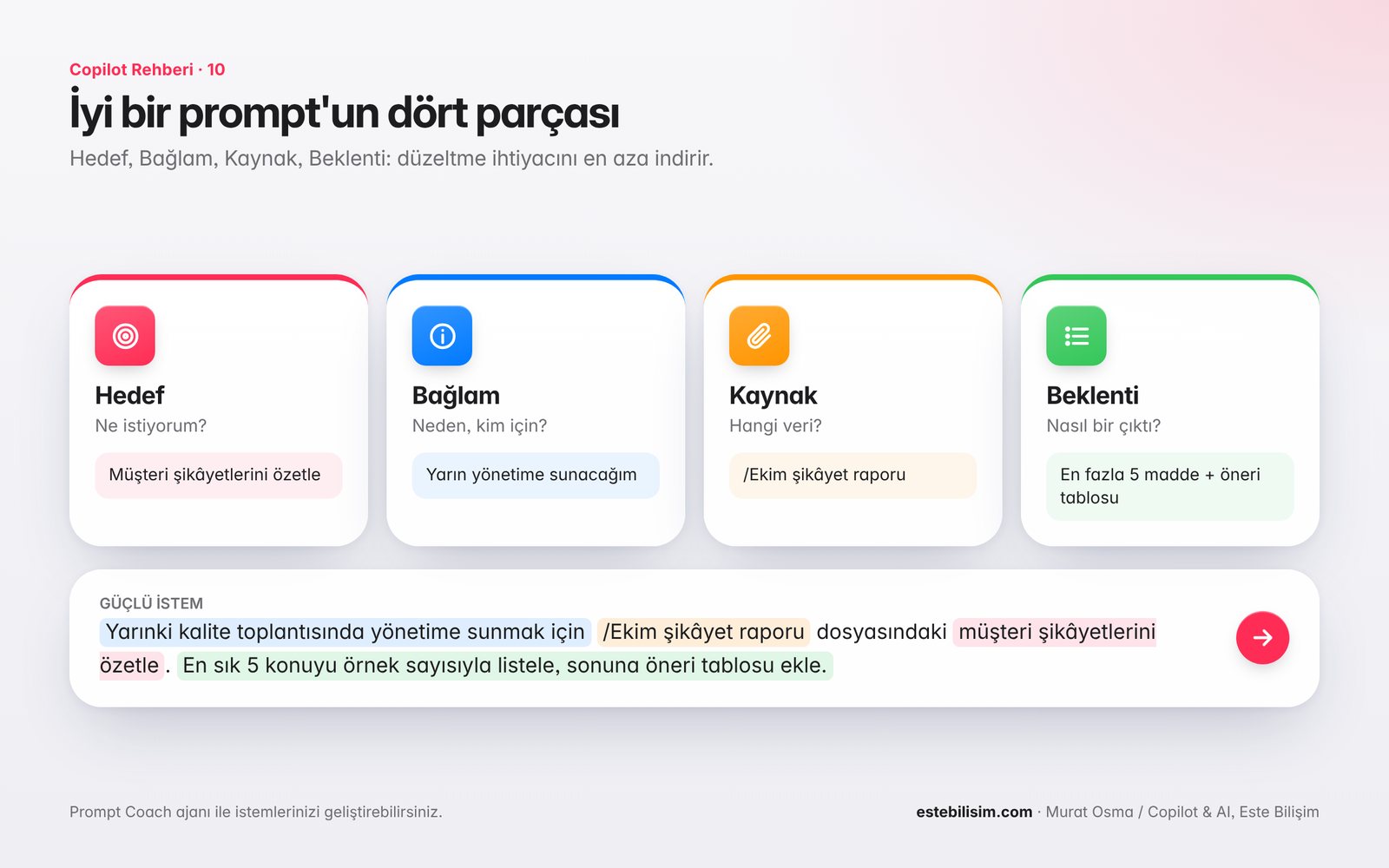
İyi bir prompt'un dört parçası: Hedef, Bağlam, Kaynak, Beklenti

Uygulama bazında kopyalanabilir prompt örnekleri

Word

  • "/Proje notları dosyasından iki sayfalık yönetici özeti hazırla; riskleri ayrı başlıkta ver, resmi bir dil kullan."
  • "Bu sözleşmedeki ödeme ve fesih maddelerini sade Türkçeyle açıkla; maddeleri numaralarıyla belirt."

Excel

  • "Satış tablosunda bölgelere göre yıllık büyümeyi hesaplayan bir sütun ekle ve en düşük üç bölgeyi vurgula."
  • (Agent Mode) "Bu veriden 2027 için aylık nakit akışı modeli kur; varsayımları ayrı sayfada tut ve üç senaryo ekle."

PowerPoint

  • "/Yıllık faaliyet raporu dosyasından 10 slaytlık yönetim kurulu sunumu oluştur; her slaytta en fazla 3 madde olsun."
  • "Bu slayt için 1 dakikalık konuşmacı notu yaz."

Outlook

  • "Bu yazışmayı özetle; benden beklenen aksiyonları ve son tarihleri listele."
  • "Teslim tarihini bir hafta erteleme talebini nazikçe reddeden, alternatif tarih öneren bir yanıt yaz."

Teams

  • "Bu toplantıda alınan kararları, sorumluları ve tarihleri tablo olarak ver."
  • "Toplantıda itiraz edilen konular nelerdi? Kimin hangi görüşü savunduğunu özetle."

Copilot Chat (Work modu)

  • "Bu hafta /Ahmet Yılmaz ile yazışmalarımda bekleyen konular neler?"
  • "Yarınki müşteri görüşmesi için son 3 ayın e-postalarından ve toplantılarından bir hazırlık notu çıkar."

İstemi geliştirmenin 5 yolu

  1. Takip istemi kullanın: "Daha kısa", "tablo olarak", "daha resmi" gibi düzeltmeler isteyin.
  2. Rol verin: "Deneyimli bir finans analisti gibi değerlendir."
  3. Örnek gösterin: İstediğiniz formattan kısa bir örnek ekleyin.
  4. Ne istemediğinizi söyleyin: "Teknik terim kullanma", "tahmin yürütme".
  5. Copilot'a sordurun: "Bu işi en iyi yapabilmen için bana hangi soruları sorman gerekir?"

Prompt Gallery ve Prompt Coach

  • Prompt Gallery: Copilot Chat içinde Microsoft'un hazır istemlerini, kendi kaydettiğiniz istemleri ve ekibinizle paylaşılan istemleri bulduğunuz alandır. İyi çalışan istemleri kaydedip Teams ekibinizle paylaşabilirsiniz.
  • Prompt Coach: Microsoft'un hazır ajanıdır; Copilot Chat lisanssız kullanıcılarında da bulunur. İsteminizi yapıştırıp "Bunu geliştir" dediğinizde size sorular sorarak daha net bir istem önerir. Ajanı Copilot Chat'teki ajan listesinden açabilir veya @ ile çağırabilirsiniz.

Sık sorulan sorular

Prompt'ları İngilizce yazmak daha mı iyi sonuç verir?

Hayır. Türkçe desteklenen bir dildir; asıl fark dilden değil, istemin dört parçayı içermesinden gelir (bkz. Copilot Türkçe destekliyor mu?).

Uzun prompt her zaman daha mı iyidir?

Hayır. Gereksiz ayrıntı değil, net hedef ve doğru kaynak önemlidir. Kısa ama dört parçalı bir istem çoğu zaman yeterlidir.

Kurum içinde ortak bir prompt kütüphanesi nasıl kurulur?

Prompt Gallery'de ekip istemlerini paylaşarak başlayın; departman bazında örnekleri ESTE Bilişim'in prompt rehberiyle zenginleştirin (bkz. departmanlara göre prompt rehberimiz (PDF)).

Prompt atölyesi: ESTE Bilişim, ekiplerinizin kendi işlerinden çıkan senaryolarla prompt yazmayı uygulamalı olarak öğrendiği atölyeler düzenler.
Copilot workshop’u talep edin →

Paylaş: LinkedIn X WhatsApp

Bu kategoriden diğer yazılar

Copilot

Copilot Prompt Examples: How to Write a Good Prompt (Turkish, 2026)

Get better from Copilot with the Goal, Context, Source, and Expectation framework. Copyable Turkish prompt examples for Word, Excel, PowerPoint, Outlook, and Teams, Prompt Gallery, and Prompt Coach.

Nov 4, 2026 Murat Osma 2 views
Copilot Prompt Examples: How to Write a Good Prompt (Turkish, 2026)

A good Copilot prompt says four things: what you want (goal), why and for whom you want it (context), what information it will be based on (source), and what the result will look like (expectation). Prompts with these four parts require far fewer corrections than generic one-sentence requests.

Goal, Context, Source, Expectation

PartQuestionExampleGoalWhat do I want?" Summarize customer complaints"ContextWhy, for whom?" I will present it to management at tomorrow's quality meeting"SourceWhat data should it be based on?" /October complaint report file and emails from the support team"ExpectationWhat output?" Maximum 5 items, number of samples for each item, suggestion table at the end"

Weak prompt: "Summarize the complaints."

Strong prompt: "Summarize the customer complaints in the /October complaint report file to present to management at tomorrow's quality meeting. List the 5 most frequent topics with the number of examples, add a table with a suggestion for improvement for each topic at the end."

İyi bir prompt'un dört parçası: Hedef, Bağlam, Kaynak, Beklenti

Examples of prompt that can be copied on an application basis

Word

  • "/Prepare a two-page executive summary from the project notes file; give the risks in a separate heading, use formal language."
  • "Explain the payment and termination clauses in this contract in plain Turkish; indicate the clauses with their numbers."

Excel

  • "Add a column in the sales table that calculates year-over-year growth by regions and highlight the three lowest regions."
  • (Agent Mode) "From this data, build a monthly cash flow model for 2027; keep assumptions on a separate page and add three scenarios."

PowerPoint

  • "/Create a 10-slide board presentation from the annual report file; have a maximum of 3 items on each slide."
  • "Write a 1-minute speaker note for this slide."

Outlook

  • "Summarize this correspondence; list the actions and deadlines expected from me."
  • "Write a response politely declining the request to postpone the deadline by a week, suggesting an alternative date."

Teams

  • "Give a table of the decisions, those responsible and the dates taken at this meeting."
  • "What were the issues that were objected to at the meeting? Summarize who defended which view."

Copilot Chat (Work mode)

  • "What are the pending issues in my correspondence with Ahmet Yılmaz this week?"
  • "A preparation note for tomorrow's client call comes out of the emails and meetings of the last 3 months."

5 ways to improve the prompt

  1. Use a follow-up prompt: Ask for corrections like "shorter," "as a table," "more formal," etc.
  2. Give a role: "Evaluate like an experienced financial analyst."
  3. Show example: Add a short example of your desired format.
  4. Say what you don't want: "Don't use technical terms", "don't guess".
  5. Ask Copilot: "What questions do you need to ask me to do this job best?"

Prompt Gallery and Prompt Coach

  • Prompt Gallery: This is the space within Copilot Chat where you find Microsoft's ready-made prompts, self-saved prompts, and prompts shared with your team. You can save prompts that work well and share them with your Teams team.
  • Prompt Coach: It is Microsoft's ready-made agent; it is also available in Copilot Chat unlicensed users. When you paste your prompt and say "Improve this," it asks you questions and suggests a clearer prompt. You can open the agent from the agent list in Copilot Chat or invoke it with @.

Frequently asked questions

Does writing prompts in English work better?

Turkish is a supported language; the main difference comes not from the language, but from the fact that the prompt contains four parts (see Does Copilot support Turkish?).

Is a long prompt always better?

Clear goal and the right source are important, not unnecessary details. A short but four-part prompt is often enough.

How to set up a common prompt library within the organization?

Start by sharing team prompts in the Prompt Gallery; enrich department-wise examples with ESTE Informatics' prompt guide (see our prompt guide by department (PDF)).

Prompt workshop: ESTE Bilişim organizes workshops where your teams learn how to write prompts with scenarios from their own work.

Request Copilot workshop →

Related posts