Copilot

Copilot Chat Nedir? Microsoft 365 Copilot ile Farkı (2026)

Copilot Chat ek ücretsiz, web tabanlı ve kurumsal korumalı bir sohbettir. Microsoft 365 Copilot ise uygulamalara gömülü ve şirket verinizle çalışır. Farklar ve Nisan 2026 değişikliği.

27 Eki 2026 Murat Osma 8 görüntüleme
Copilot Chat Nedir? Microsoft 365 Copilot ile Farkı (2026)

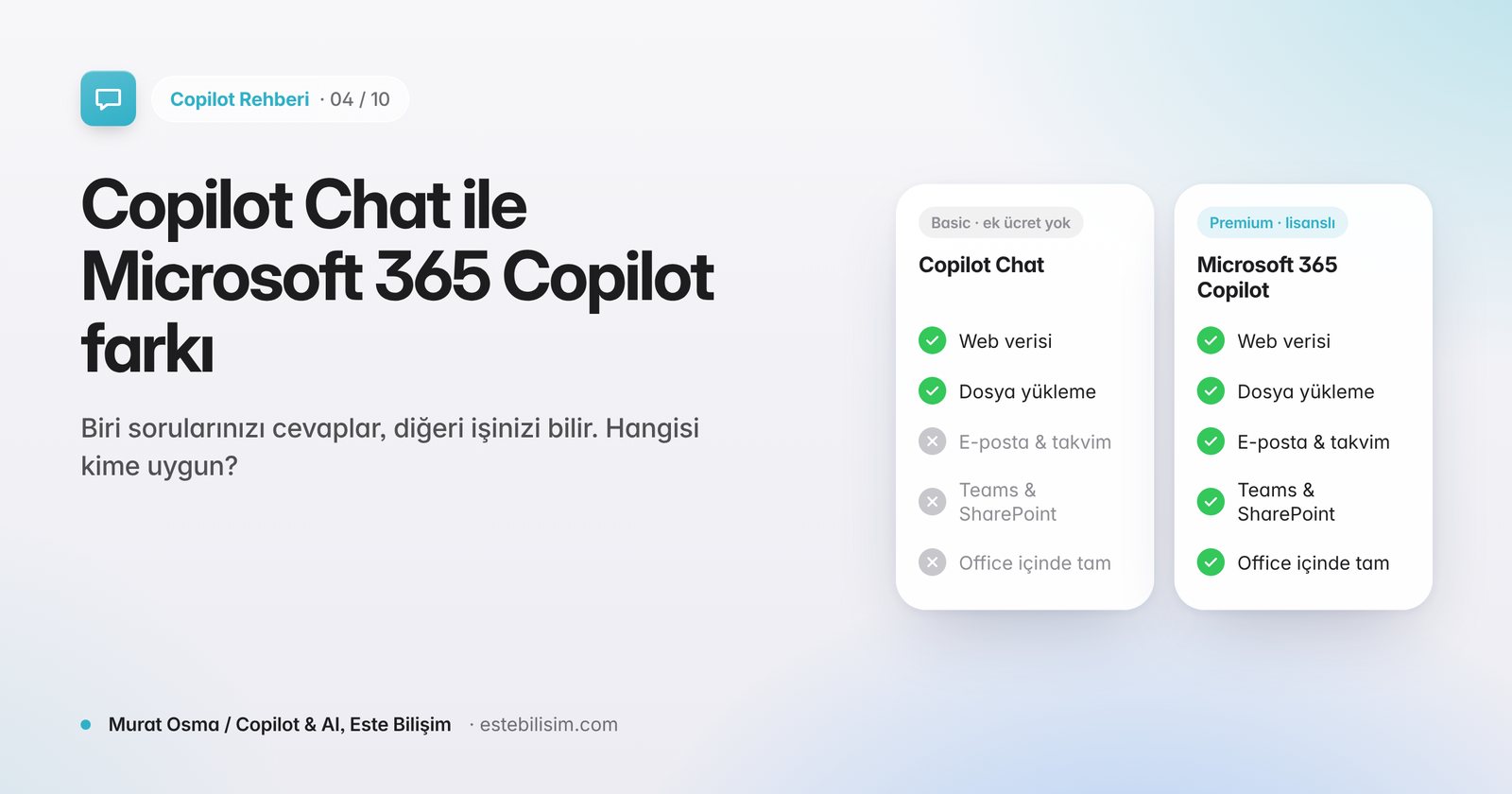
En kısa haliyle: Copilot Chat sorularınızı cevaplar, Microsoft 365 Copilot ise işinizi bilir. Copilot Chat, iş hesabıyla ek ücret olmadan kullanılan, web verisine dayanan güvenli bir yapay zekâ sohbetidir. Microsoft 365 Copilot ise e-postalarınızı, toplantılarınızı ve dosyalarınızı yetkiniz dahilinde okuyarak Word, Excel, PowerPoint ve Teams'in içinde çalışan lisanslı deneyimdir.

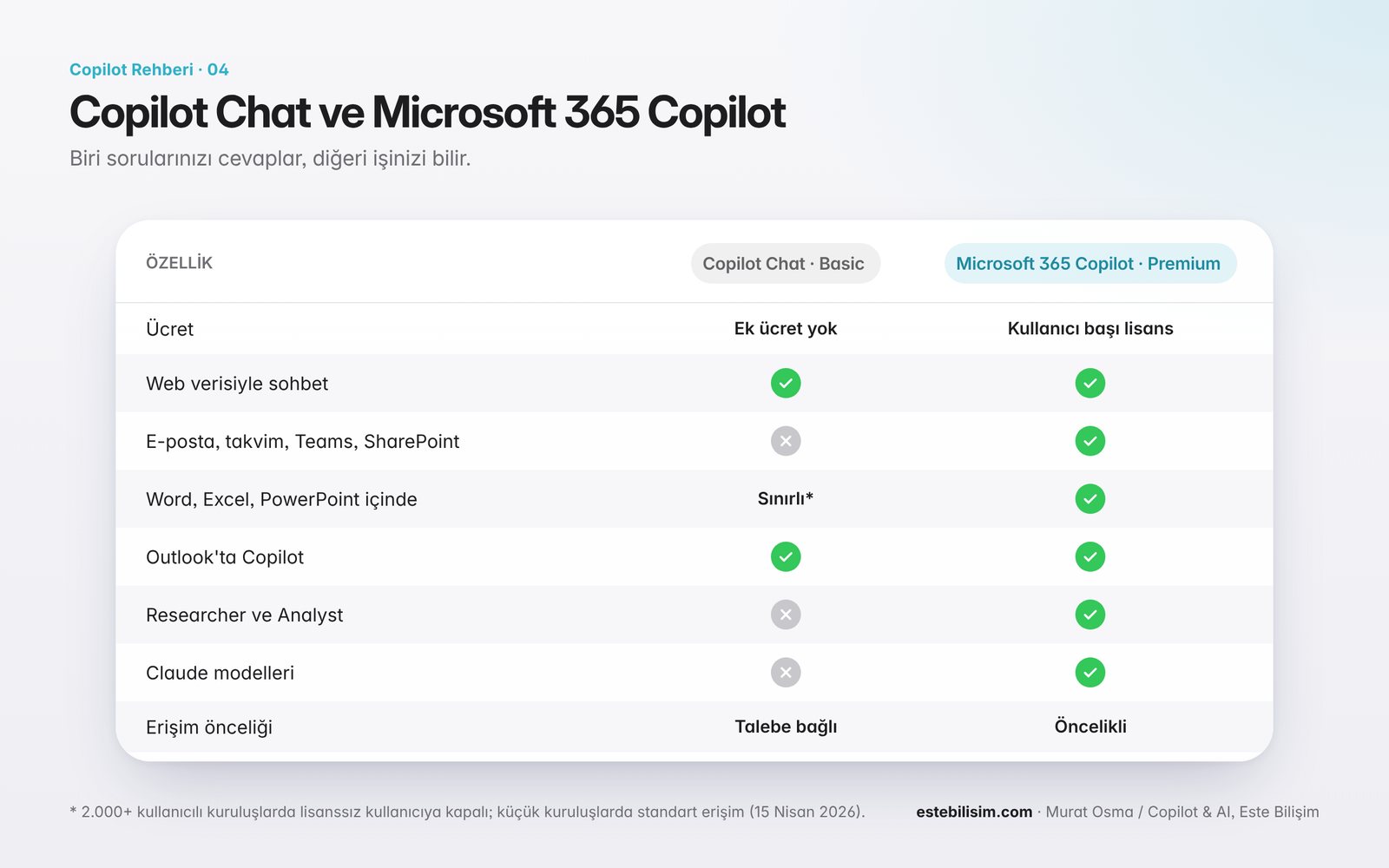
Karşılaştırma tablosu

ÖzellikCopilot Chat (Basic)Microsoft 365 Copilot (Premium)
ÜcretUygun M365 planıyla ek ücret yokKullanıcı başına aylık lisans
Bilgi kaynağıWeb + yüklediğiniz dosyalarWeb + e-posta, takvim, Teams, SharePoint, OneDrive (Work modu)
Kurumsal veri korumasıVarVar
Outlook'ta CopilotVar (gelen kutusu ve takvim bağlamıyla)Var, diğer uygulamalarla bağlantılı
Word, Excel, PowerPoint içindeKuruluş büyüklüğüne bağlı, sınırlı (aşağıya bakın)Tam erişim, Agent Mode dahil
Teams toplantı özeti ve aksiyonlarSınırlıVar
Researcher ve AnalystYokVar
Claude modelleriYokVar (yönetici ayarına bağlı)
AjanlarKullandıkça öde ajanlar, Prompt Coach gibi hazır ajanlarLisansa dahil ajanlar ve kuruma özel ajanlar
Erişim önceliğiTalebe bağlı, yoğunlukta yavaşlayabilirÖncelikli ve tutarlı
Copilot Chat (Basic) ve Microsoft 365 Copilot (Premium) özellik karşılaştırması

15 Nisan 2026'da ne değişti?

Microsoft, ücretsiz Copilot Chat kullanıcılarının Office uygulamaları içindeki erişimini yeniden düzenledi:

  • 2.000'den fazla kullanıcılı kuruluşlar: Lisansı olmayan kullanıcılar Word, Excel, PowerPoint ve OneNote içinde Copilot'u artık görmüyor. Copilot Chat, Microsoft 365 Copilot uygulamasında ve Outlook'ta kullanılmaya devam ediyor.
  • Daha küçük kuruluşlar: Copilot, Word, Excel ve PowerPoint'te "standart erişim" ile kalıyor; yoğun dönemlerde sınırlama olabiliyor.
  • Herkes için: Microsoft 365 Copilot uygulamasındaki Word, Excel ve PowerPoint ajanlarıyla sohbet üzerinden belge, tablo ve sunum üretmek mümkün.

Arayüzde "Copilot Chat (Basic)" etiketi görüyorsanız lisanssız deneyimdesiniz.

Hangisi kime uygun?

Copilot Chat yeterli olabilir: Ara sıra metin yazan, araştırma yapan, fikir üreten ve yapay zekâyı tanımak isteyen kullanıcılar.

Microsoft 365 Copilot gerekir: Günün büyük kısmını e-posta, toplantı, rapor ve tablolarla geçiren; farklı uygulamalardaki bilgiyi birleştirmesi gereken yöneticiler, satış, finans ve proje ekipleri.

Pratik yaklaşım: Tüm kuruma Copilot Chat'i açıp kullanım verisini izlemek, en yoğun kullanan ekiplere lisans atamak (bkz. Copilot ücretli mi? Microsoft 365 Copilot fiyatı ve lisans seçenekleri).

Sık sorulan sorular

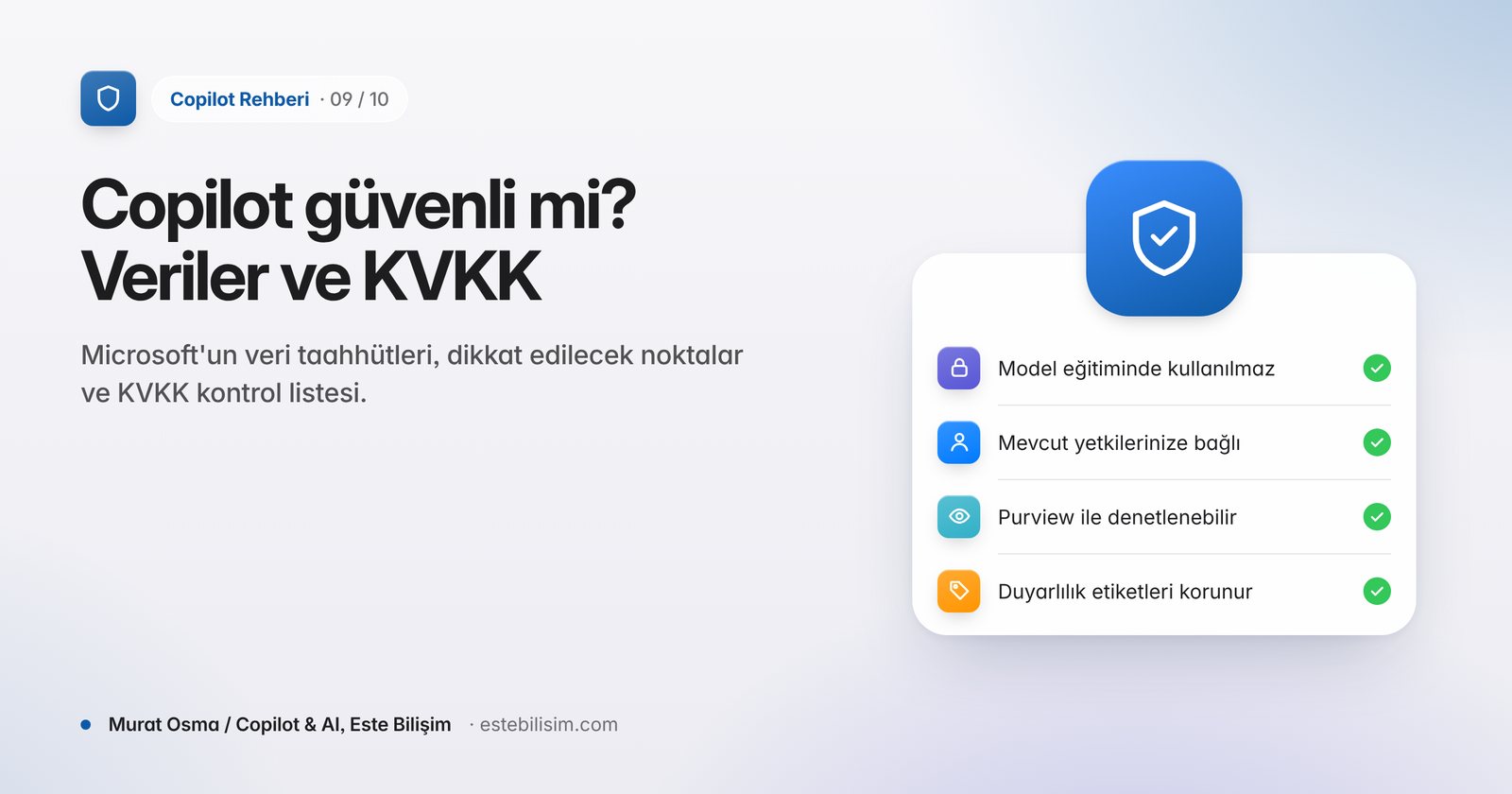
Copilot Chat'te yazdıklarım güvende mi?

Evet. İş hesabıyla kullanıldığında kurumsal veri koruması geçerlidir; istemler temel modelleri eğitmek için kullanılmaz (bkz. Copilot güvenli mi? Verilerimize ne oluyor, KVKK açısından durum ne?).

Copilot Chat'e dosya yükleyebilir miyim?

Evet. Yüklediğiniz dosyayı özetleyebilir ve analiz edebilir, ancak şirket verinizin tamamında arama yapmaz.

Lisans alınca Copilot Chat ortadan kalkar mı?

Hayır. Lisanslı kullanıcılar aynı sohbet arayüzünde Work moduna, öncelikli erişime ve ek ajanlara kavuşur.

Hangi ekibe lisans? ESTE Bilişim, Copilot Chat kullanım raporlarınızı analiz ederek lisansın en yüksek getiri sağlayacağı kullanıcıları belirler.
Uzmanımızla görüşün →

Paylaş: LinkedIn X WhatsApp

Bu kategoriden diğer yazılar

Copilot

What is Copilot Chat? Microsoft 365 Difference with Copilot (2026)

Copilot Chat is an additional free, web-based, and enterprise-protected chat. Microsoft 365 Copilot, on the other hand, is embedded in apps and works with your company data. Differences and April 2026 change.

Oct 27, 2026 Murat Osma 8 views
What is Copilot Chat? Microsoft 365 Difference with Copilot (2026)

In short: Copilot Chat answers your questions, and Microsoft 365 Copilot knows the stuff. Copilot Chat is a secure AI chat based on web data that can be used with a work account at no additional cost. Microsoft 365 Copilot is the licensed experience that reads your emails, meetings, and files within your authorization and runs inside Word, Excel, PowerPoint, and Teams.

Comparison table

FeatureCopilot Chat (Basic)Microsoft 365 Copilot (Premium)CostNo additional cost with eligible M365 planLicense per userSource of informationWeb + files you uploadWeb + files you uploadedWeb + email, calendar, Teams, SharePoint, OneDrive (Work mode)Enterprise data protectionYesCopilot in OutlookYes (with inbox and calendar context)Yes, linked to other appsWithin Word, Excel, PowerPointDepending on organization size, limited (see below)Full access, including Agent ModeTeams meeting summary and actionsLimitedYesResearcher and AnalystNoneClaude modelsNoneYes (dependent on admin setting)AgentsPay-as-you-go agents, ready-made agents like Prompt CoachLicensed agents and agency-specific agentsAccess priorityOn-demand, may slow in intensityPriority and consistent

Copilot Chat (Basic) ve Microsoft 365 Copilot (Premium) özellik karşılaştırması

What changed on April 15, 2026?

Microsoft has reworked access for free Copilot Chat users within Office apps:

  • Organizations with more than 2,000 users: Users without a license no longer see Copilot in Word, Excel, PowerPoint, and OneNote. Copilot Chat continues to be available in the Microsoft 365 Copilot app and Outlook.
  • Smaller organizations: Copilot stays with "standard access" in Word, Excel, and PowerPoint; there may be limitations during peak periods.
  • For everyone: It is possible to produce documents, tables and presentations via chat with Word, Excel and PowerPoint agents in the Microsoft 365 Copilot application.

If you see a "Copilot Chat (Basic)" label in the interface, you're in the license-free experience.

Which one suits whom?

Copilot Chat may suffice: Users who occasionally write, research, generate ideas, and want to familiarize themselves with AI.

Microsoft 365 Copilot requires: Spend most of their day with email, meetings, reports, and tables; Managers, sales, finance, and project teams who need to consolidate information from different applications.

Practical approach: Open Copilot Chat for the entire organization, monitor usage data, and assign licenses to the most intensive teams (see Copilot Is Copilot paid? Microsoft 365 Copilot price and license options).

Frequently asked questions

Is what I type in Copilot Chat safe?

Yes. When used with a work account, enterprise data protection applies; prompts are not used to train foundation models (see Copilot). Is Copilot secure? What is happening to our data, what is the situation in terms of KVKK?).

Can I upload files to Copilot Chat?

Yes. It can summarize and analyze the file you upload, but it doesn't search all of your company data.

Does Copilot Chat disappear when I get a license?

Licensed users get Work mode, priority access, and additional agents in the same chat interface.

Which team to license? ESTE Computes analyzes your Copilot Chat usage reports to identify the users for whom the license will yield the highest returns.

Talk to our expert →

Related posts