Yapay Zekâ & Copilot

Forms’da Copilot ile tanışın: Form Oluşturma Sürecinizi Yeniden Tanımlama

Copilot in Forms ‘u sahneye davet ederken bize katılın – anketler, yoklamalar ve formlar oluşturmak için nihai yapay zekâ asistanınız Copilot in Forms ‘un Mart ayı başında ticari müşteriler için…

7 Mar 2024 Murat Osma
Forms’da Copilot ile tanışın: Form Oluşturma Sürecinizi Yeniden Tanımlama

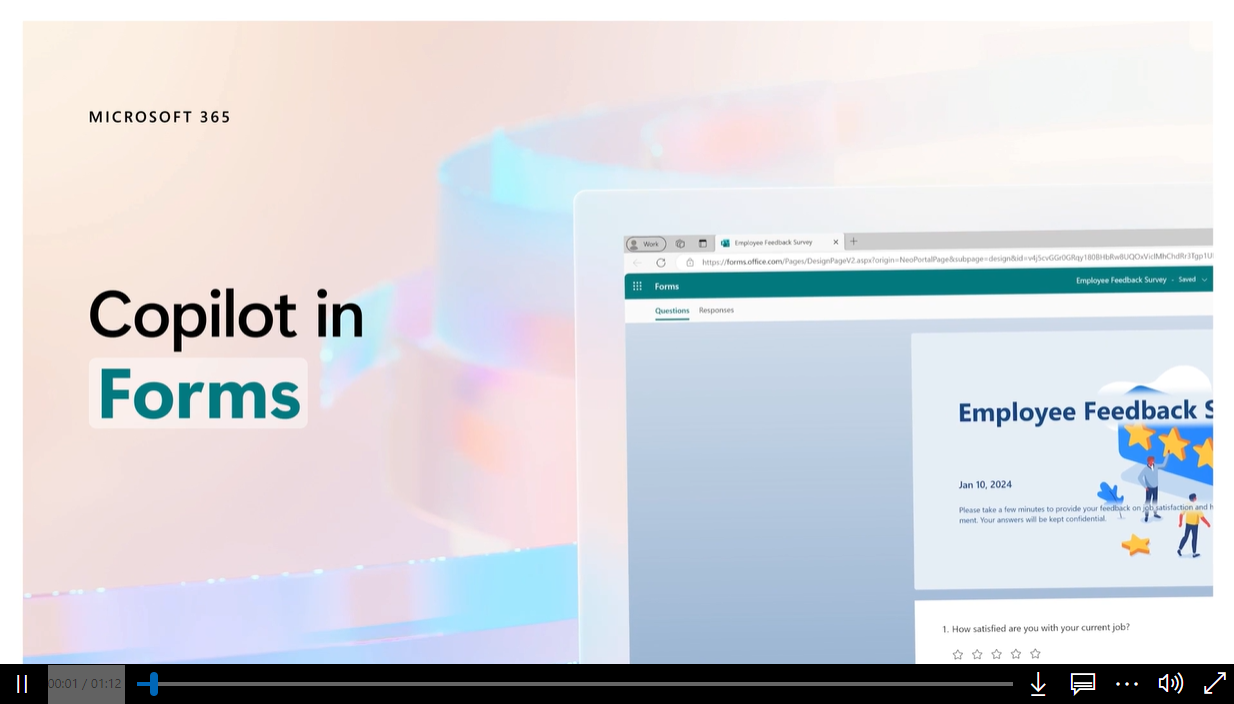
Copilot in Forms‘u sahneye davet ederken bize katılın – anketler, yoklamalar ve formlar oluşturmak için nihai yapay zekâ asistanınız Copilot in Forms‘un Mart ayı başında ticari müşteriler için Microsoft Forms‘ta kullanıma sunulacağını duyurmak istiyoruz. Oluşturmak istediğiniz formu Copilot’a tarif ettiğinizde, iyi tasarlanmış bir taslak oluşturulacak ve işiniz hiç olmadığı kadar kolaylaşacak!


Kullanıcı girdisine göre taslak oluşturma

Oluşturmak istediğiniz formun ayrıntılarını Copilot‘a açıklayın; bağlamı, amacı, hedef kitleyi ve tüm özel gereksinimleri belirtin. Veya amacınıza uygun seçenekleri bulmak için “İstemleri görüntüle” seçeneğine tıklayarak önerilen istemleri kontrol edebilirsiniz. Bilgiler sağlandıktan sonra Copilot, talimatlarınıza göre bir taslak oluşturmaya başlar.

Örneğin, Copilot’tan “çalışanların iletişimin netliği, konuların uygunluğu, belediye binasının genel etkinliği hakkında geri bildirimlerini toplamak ve gelecekteki iyileştirmeler için öneriler almak üzere bir belediye binası geri bildirim anketi önermesini” isteyebilirsiniz.

Kullanıcı girdisine göre taslak oluşturma

Taslağa ince ayar yapın

Taslak oluşturulduktan sonra, Copilot‘a ek ayrıntılar sağlayarak soruları kaldırma ve daha da iyileştirme esnekliğine sahip olacaksınız. Örneğin, dahil etmek istediğiniz belirli konulara yönelik hiçbir soru yoksa Copilot‘a bu konularla ilgili sorular eklemesi talimatını verebilirsiniz. İyi bir taslak elde ettiğinizde “Sakla“ya tıklamanız yeterlidir; Copilot sizin için formu oluşturacaktır.

Formun konusuna göre tasarım önerileri

Formu göndermeden önce Copilot, formunuzun konusuna uygun çeşitli tasarımlar için öneriler sunar. Farklı seçenekleri deneyebilir ve size en uygun olanı seçebilirsiniz.

Formun konusuna göre tema önerileri

Copilot in Forms şu anda form işlevselliği ile sınırlıdır, ancak yakında testleri de dahil edeceğimiz için bizi izlemeye devam edin! Ayrıca, Copilot in Forms şu anda İngilizce, İspanyolca, Japonca, Fransızca, Almanca, Portekizce (Brezilya), İtalyanca ve Basitleştirilmiş Çince dillerini desteklemektedir. Yakında 17 dil için daha destek eklenecek.

Copilot in Forms, Copilot for Microsoft 365‘in bir parçasıdır ve ilk olarak Mart 2024’ün başlarında ticari kullanıcılara (Enterprise, SMB ve EDU dahil) sunulacaktır. Copilot in Forms‘a erişmek için Microsoft 365 için Copilot lisansı gereklidir. Tüketici desteği kısa süre içinde kullanıma sunulacaktır ve Copilot Pro lisansı gereklidir. Microsoft 365 için Copilot hakkında daha fazla bilgiyi burada bulabilirsiniz.

Sevgiler ❤️
Paylaş: LinkedIn X WhatsApp

Bu kategoriden diğer yazılar

AI & Copilot

Introducing Copilot in Forms: Redefining Your Form Creation Process

Join us as we welcome Copilot in Forms to the stage – Copilot in Forms, your ultimate AI assistant for creating surveys, polls, and forms, will be available for business clients in early March.

Mar 7, 2024 Murat Osma
Introducing Copilot in Forms: Redefining Your Form Creation Process

Join us as we welcome Copilot in Forms to the stage – we're announcing that Copilot in Forms, your ultimate AI assistant for creating surveys, polls, and forms, will be available in Microsoft Forms for business customers in early March. Simply describe the form you want to create to Copilot, and a well-designed outline will be created, making your job easier than ever!


Drafting based on user input

Describe the details of the form you want to create to Copilot; Specify the context, purpose, target audience, and any specific requirements. Or, you can check the suggested prompts by clicking on "View prompts" to find options that suit your purpose. Once the information is provided, Copilot begins generating a draft based on your instructions.

For example, you can ask Copilot to "suggest a town hall feedback survey to gather employee feedback on clarity of communication, relevance of topics, overall effectiveness of the town hall, and get suggestions for future improvements."

Drafting based on user input

Fine-tune the draft

Once drafted, you'll have the flexibility to remove questions and refine them further, providing Copilot with additional details. For example, if there are no questions for specific topics you want to include, you can instruct Copilot to add questions related to those topics. Once you have a good draft, just click "Save"; Copilot will create the form for you.

Design recommendations according to the subject of the form

Before submitting the form, Copilot provides suggestions for various designs that align with your form's topic. You can try different options and choose the one that suits you best.

Theme suggestions based on the topic of the form

Copilot in Forms is currently limited to form functionality, but stay tuned as we'll be incorporating testing soon! Additionally, Copilot in Forms currently supports English, Spanish, Japanese, French, German, Portuguese (Brazilian), Italian, and Simplified Chinese. Support for 17 more languages will be added soon.

Copilot in Forms is part of Copilot for Microsoft 365 and will first be available to commercial users (including Enterprise, SMB, and EDU) in early March 2024. A Copilot for Microsoft 365 license is required to access Copilot in Forms. Consumer support will be available shortly, and a Copilot Pro license is required. Learn more about Copilot for Microsoft 365 here.

Yours ❤️

Related posts